
Leeloo Labs · After hours

Pick 42

A draft companion for MTG Arena that shows its work.

Pick 42 sits beside Arena while you draft. It reads the log Arena already writes on your machine, ranks every pick with the statistics you import, builds the 40-card deck, and reviews each game with only the evidence it can defend. Your logs, imports, and reviews stay on your computer. Card data and art come from Scryfall's public catalog.

Free for personal use · macOS on Apple Silicon

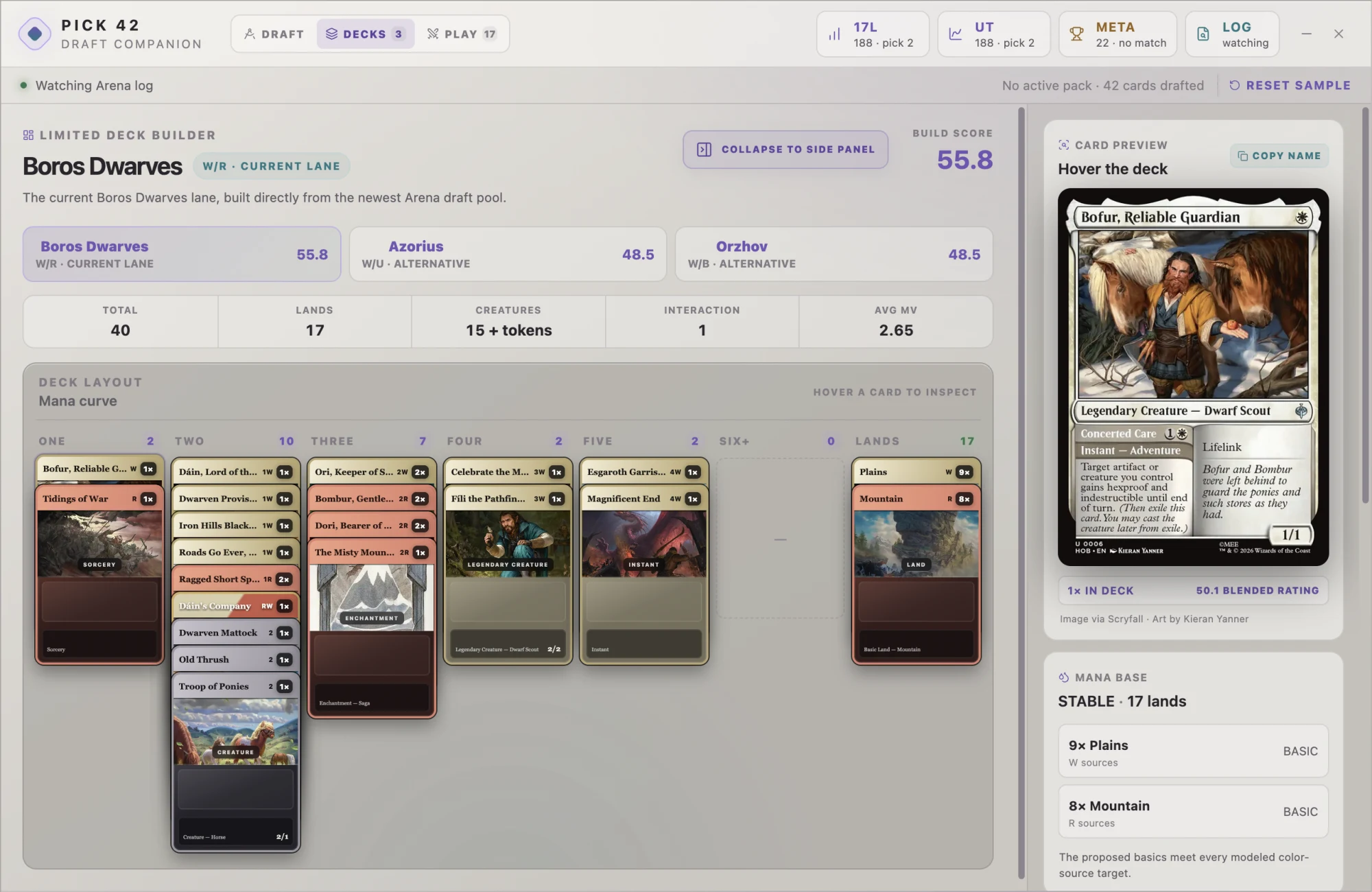
Pick 42's deck builder showing a Boros Dwarves build on a mana curve, alternative lanes, a build score, and a card preview
The deck builder: one build per lane, scored, on a real curve.

What it does

Three views, one draft.

Draft

Rankings that explain themselves

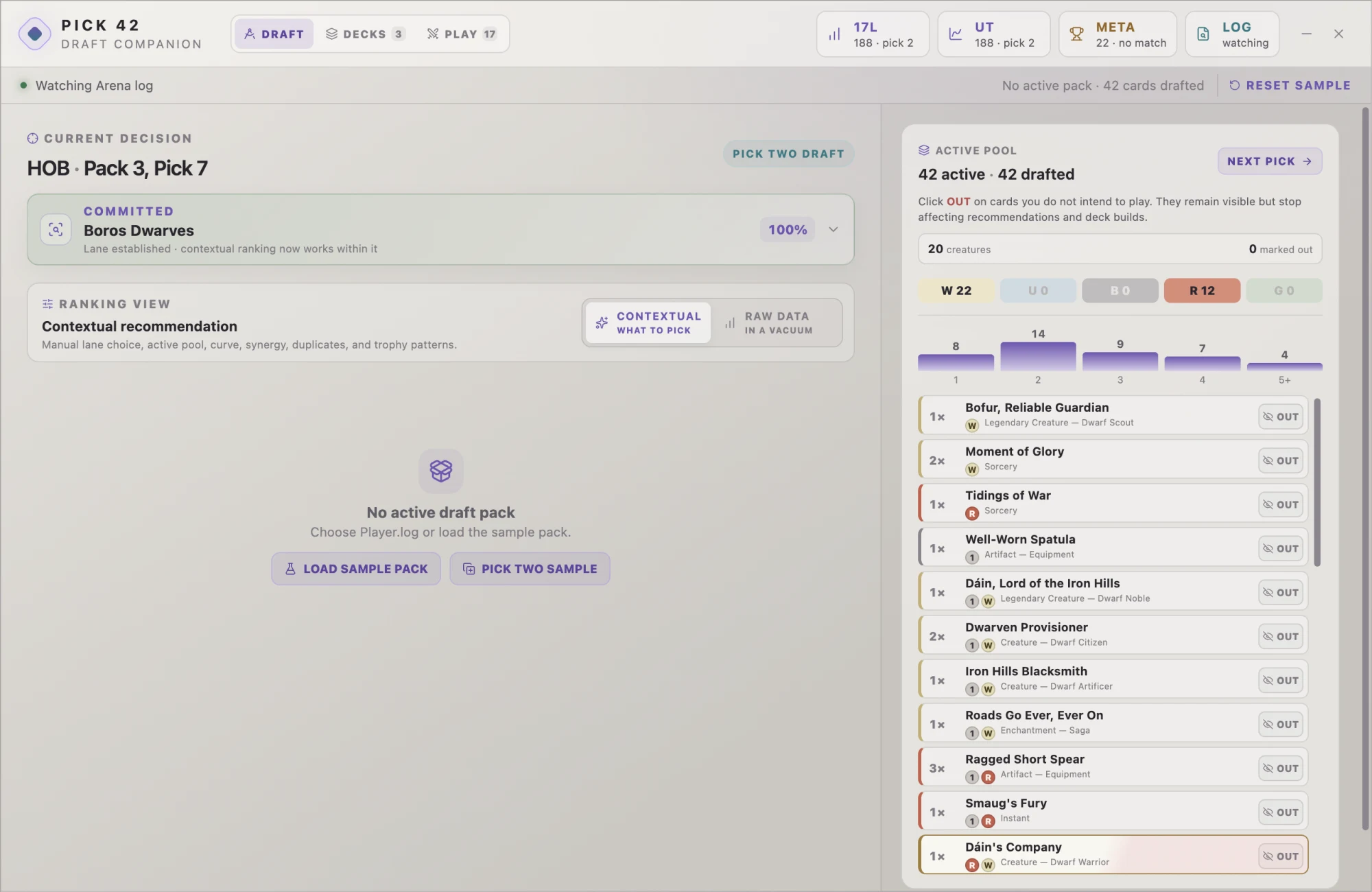
Compare raw rankings from your 17Lands and Untapped exports with contextual advice for your lane, curve, and synergies. When one source covers enough of the pack, a Partial data label tells you what you're seeing. Cards without usable data stay unranked.
Decks

The 40-card build, done

When the draft ends, Pick 42 builds the deck from your pool, lays it out on a mana curve with real card art, scores the lane it chose against the alternatives, and models the mana base.

Play

Reviews built on evidence

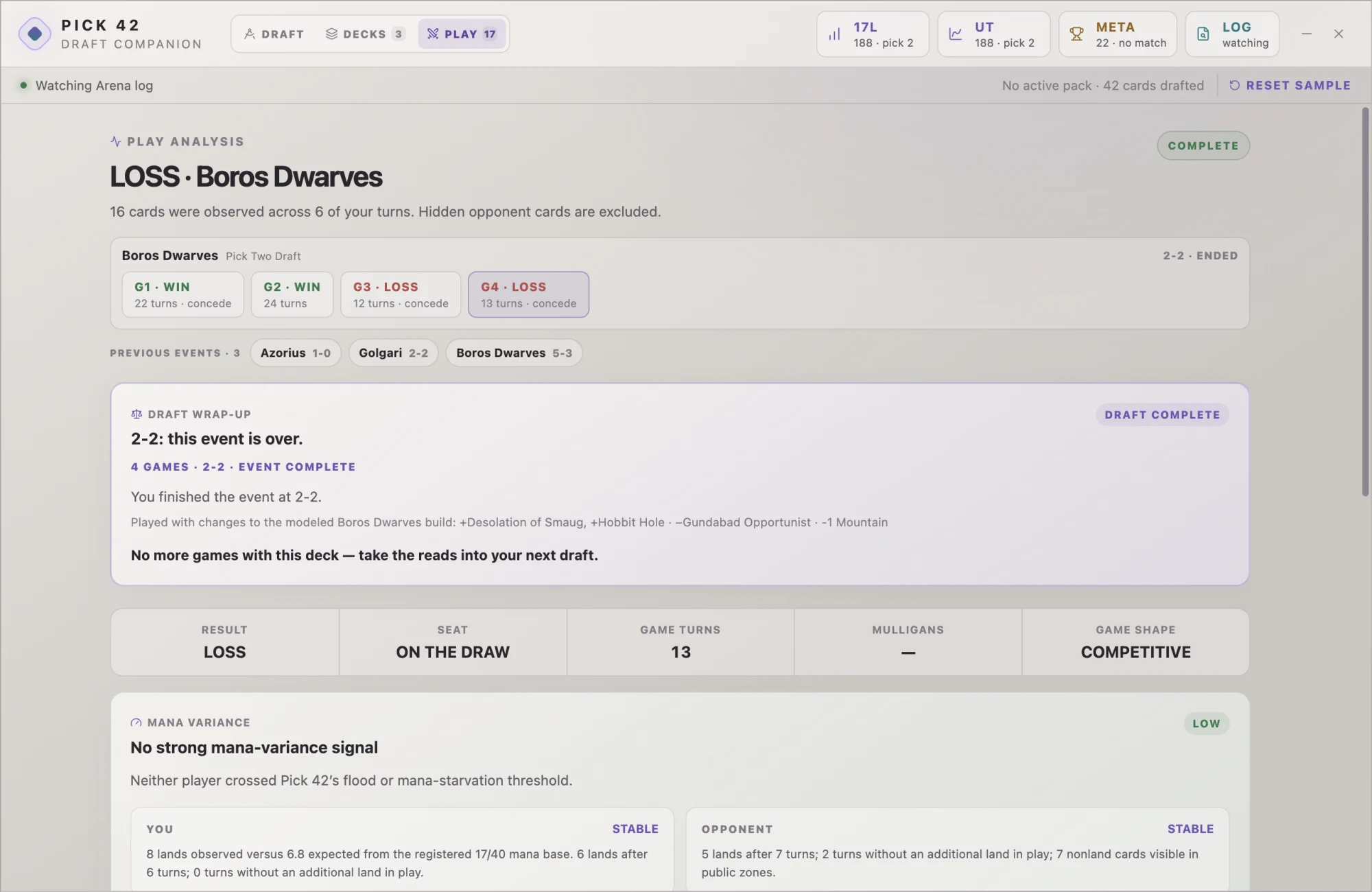
After each game it reads the log back: mana variance, draw quality, what every card visibly contributed. Uncertainty stays labeled, and one loss is treated as context, not a verdict.

Pick 42's draft view during a Pick Two event, showing a committed Boros Dwarves lane and the active 42-card pool
Mid draft: the committed lane and the live pool.
Pick 42's play analysis for a finished Pick Two event, showing per-game results, a draft wrap-up, and mana variance
After the game: what the log can actually support.
Local first
Logs, imports, and reviews stay on your Mac
Visible info only
Never reads hidden cards or private services
Advisory
It recommends; you make every pick

Get it

Download Pick 42

Download for macOS ↓

Pick-42-mac-arm64.zip · Apple Silicon

See release notes on GitHub

The build is not yet notarized with Apple, so macOS will refuse it on first launch. Approve it once under System Settings → Privacy & Security → Open Anyway, and it opens normally after that.

  1. Unzip and drag Pick 42 into Applications.
  2. In Arena, turn on Options → Account → Detailed Logs, then restart Arena. The LOG button in Pick 42 shows the connection.
  3. Try the sample draft right away. For live rankings, open PREP, choose your set and draft type, and import your 17Lands and Untapped CSVs. Pick 42 remembers the imports for each set and draft type.

Ownership

Rights and attribution

Pick 42 is owned by Leeloo Labs LLC. Official builds are free for personal, non-commercial use. Pick 42 is unofficial Fan Content permitted under Wizards of the Coast's Fan Content Policy and is not approved or endorsed by Wizards. Portions of the materials used are property of Wizards of the Coast. © Wizards of the Coast LLC.

Pick 42 never scrapes or redistributes 17Lands or Untapped data. You import your own exports, and they stay on your machine.